Learn the instant and secure way to import EML to iCloud mailbox. Read the post and effortlessly import multiple EML files to iCloud at once with no data loss.
If we talk about uploading EML files into iCloud account, then there is no direct manual way to perform this import process. Don’t worry! we are here to solve your issue and provide a workable solution to transfer .eml files to iCloud mailbox in bulk.
How to Import EML Files Into iCloud in Bulk?
Downlaod EML Converter tool on your Windows. The software will effortlessly perform migration EML to iCloud Mail account in a few simple clicks. It will complete the process without affecting data integrity and email folder hierarchy. The tool allows importing a single file or complete folders of EML file to your mailbox without any hassle.
Try the demo version of the software and know the importing process.

Steps to Import EML to iCloud Mailbox
1: Download and run SysConverter for EML on your Windows OS.
2: After that, select Open >> Email Data File >> EML Files >> Select Files or Folder.

3: Here you can view your messages before performing the import process.
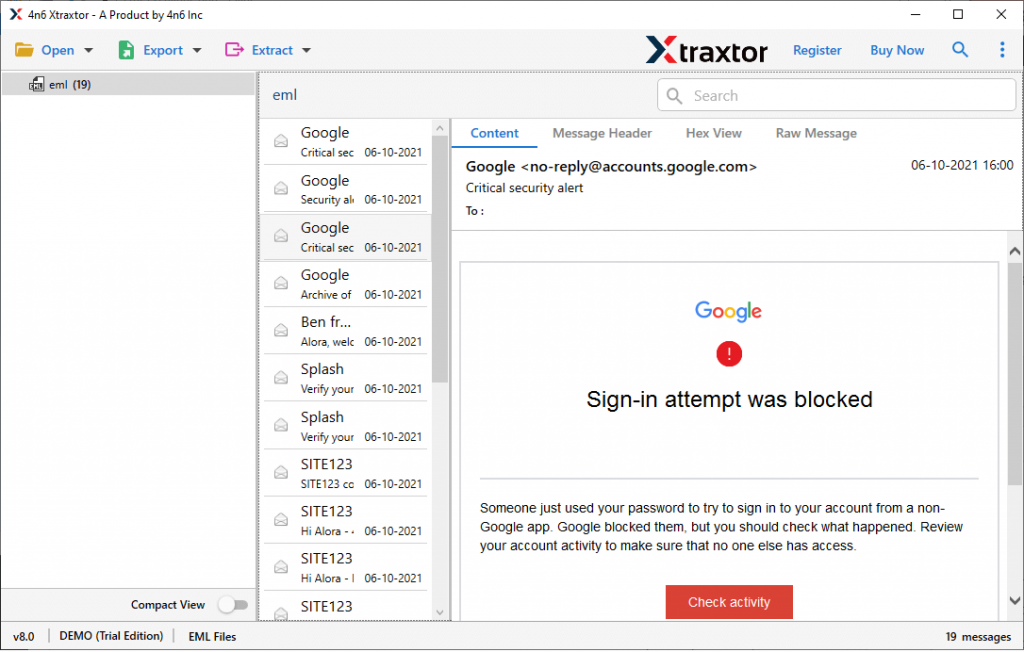
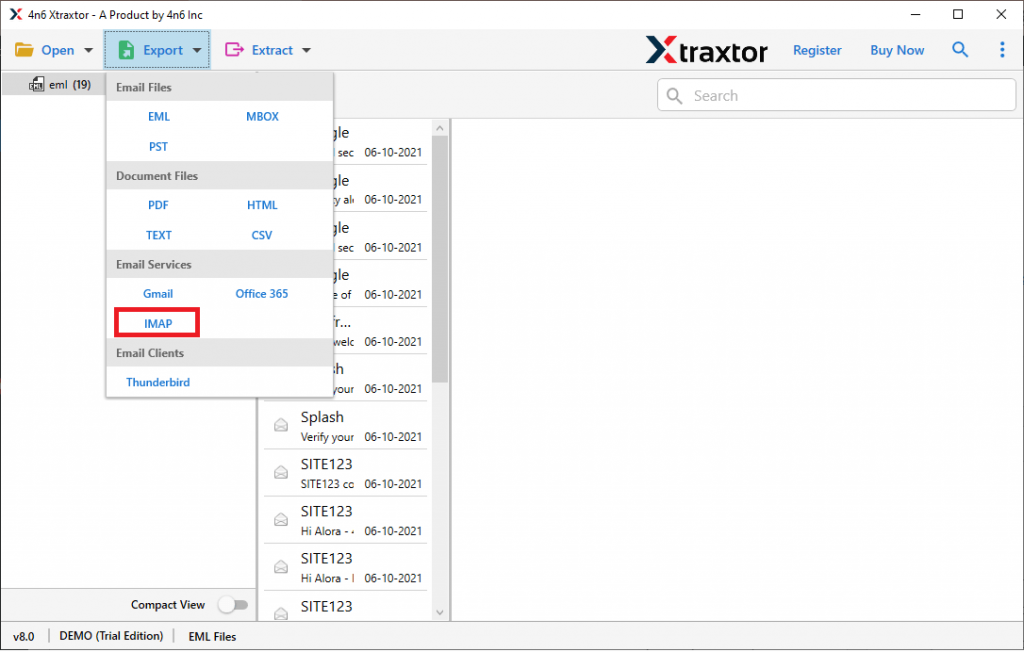
4: Now click on Export and select IMAP from the given list.
5: At last, enter your iCloud email address and password and then hit on the Save button.

Finish! Here you upload EML files into iCloud mailbox directly. After process completion, you can check your webmail mailbox and search for the imported data.
Benefits of Using the EML to iCloud Import Tool
There are various outstanding features of the automated tool that help in secure and efficient importing.
- Maintain Email Formatting: While transferring EML files into iCloud mailbox, this utility preserves the email attributes and structure. It will import .eml files along with message body, header ( to, from, cc, bcc) and exact formatting.
- Advanced Search option: If you have multiple .eml files in the selected folder and you urgently need emails from a specific date, then this tool offers a date range filter option to search particular date emails. Along with that, you can apply other filter options, such as – to, from, subject, cc, bcc, time, name, has attachments, property id & name, and many more.
- Upload EML Files to Webmail Accounts: Along with EML to iCloud import, this utility can perform other webmail uploads. One can use this utility and import EML to Gmail, Office 365, Yahoo, Yandex, and other cloud-based mailing accounts.
- Windows Support tool: This EML to iCloud Import tool is a Windows-based utility. It can be installed and run on Windows 11, 10, 8, Vista, XP, and all other previous operating system versions.
- Save EML into Different File Formats: Along with import, this utility also convert EML to PDF, CSV, MBOX, TXT, and a few other file formats. All the saving options will be present in a single interface, thus no need to use different tools for additional conversions.
Conclusion
When we talk about transferring EML files into iCloud account, then you need to use a third-party solution as there is no direct native way to perform the operation. Using the automated tool you can swiftly import EML to iCloud in bulk without any data loss. You can us et the demo version of this tool and perform the import process yourself.