Here in this blog we will discuss the free as well as expert solution to convert EML files into HTML formats. This guide will help you to convert EML to HTML along with attachments. Read the post and complete the EML to HTML conversion in a few simple clicks.
EML and HTML, both file formats are different. EML save emails in a plain text file or HTML store emails with complete structure and design. Thus occasionally users prefer to export EML file data into HTML for easy access. Let’s discuss the complete process of EML to HTML conversion in detail.
How to Export EML to HTML using Thunderbird?
First, install Thunderbird and configure your email account with it. Then create a new folder and name it. After that follow the given instructions nad convert EML to HTML file.
Step 1. Open the Thunderbird desktop application on your system.
Step 2. First of add ImportExportTools NG add-ons in Thunderbird.
Step 3. Right-click on a folder >> ImportExport Tool NG >> Import EML Messages >> Select file or directory.

Step 4. Select the email file or folder you want to import into the email client interface.

Here, all .eml files are present on the email client interface. Now users can export it into HTML format.
Step 5. Right-click on the folder or email you want to export.
Step 6. After that ImportExport Tool NG >> Export All Message in Folder >>HTML Format (For entire folder)

Step 7. Select the location to save the HTML file and click on the select folder.
Here, you export EML to HTML successfully, check in the saved location, then right-click the file, choose open with and select any browser from the list provided. There are certain restrictions with the methods in this manual, which prove an obstacle to the accurate conversion process. This method is a very time-consuming process that requires patience. Also, if you try to export multiple .eml files, then there is a possibility of data loss.
To overcome these drawbacks we are going to discuss the best reliable and trusted method to convert EML files to HTML with accuracy.
How to Convert EML to HTML File?
EML Converter is the best solution to batch export EML mailbox to other file formats quickly. There is no need to use any email client as this tool is capable of converting .eml to .html file. With its simple user interface, it is easy to operate this tool and export EML files into HTML format.

Steps to Convert EML Files to HTML Format
Step 1. Install and open this SysConverter for EML on your machine.
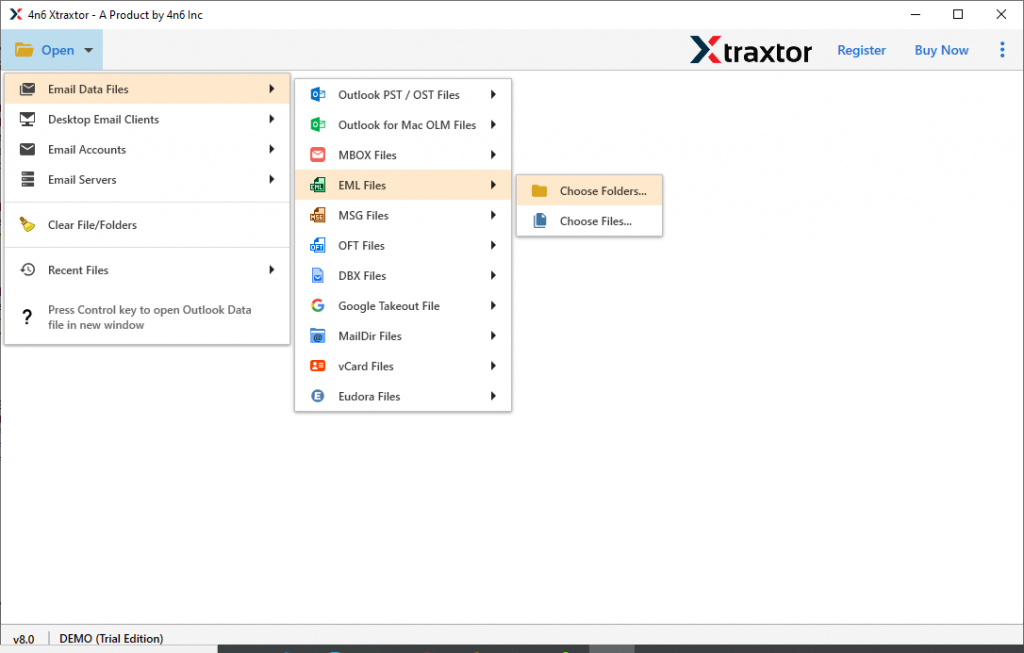
Step 2. Click on the Open drop-down menu and select from the given list.

Step 3. Now Select Email Data File >> EML File >> Select Files or folders.
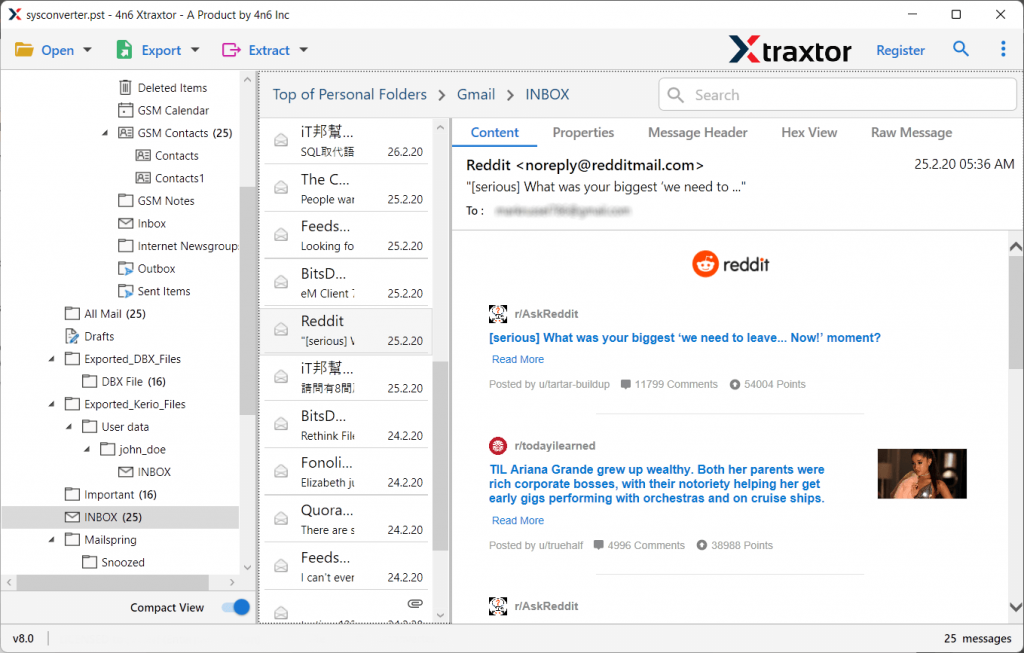
Step 4. In the software interface, users can preview their emails.
Step 5. Go to the Export option and choose HTML format.

Step 6. In the end, browse the targeted location and hit on Save button.

There you complete the conversion process and convert EML files into HTML file format. You can check the .html file at your selected saved location.
Why EML to HTML Converter?
- Simple User Interface: This software is designed with a vision to simplify the interface of this software so that novice users can also use this tool without facing any issues. The functionality of this tool is easy to understand due to its self-explanatory features.
- Various File saving Options: The EML to HTML converter allows users to save their .eml files into multiple file formats from given lists. Use can easily export EML to PDF, CSV, HTML, PST and other file formats.
- Convert EML to HTML with Attachments: This smart tool also enables batch EML files to convert into another file format with attachments. The attachments saved in the .eml file are saved in the converted files in the same way.
- Email Filters: With this tool, there are various filter options that help in selective email conversion. The various options offered by the software – to, from, cc, bcc, name, date, subject, etc.
- Cloud Migration: Along with email conversion, this tool is capable enough to perform the email migration process as well. It will transfer EML to Gmail, Office 365, Yandex and all other webmail accounts.
- Preserve Email Attributes: While converting EML files into HTML format, this tool export emails with their properties. You will find your emails with sender info, subject, content, inline images, hyperlinks, attachments, etc.
- Windows-Based Utility: The EML to HTML Converter tool is compatible with all Windows OS versions. You can install and run it on Windows 11, 10, 7, Vista, XP and all other previous versions.
Conclusion
As we already discussed the 2 different methods to convert EML to HTML. This article also discussed the manual method and its limitations. To resolve these restrictions, we also mentioned an automated way for the conversion with attachments. We recommend this EML to HTML Converter tool to batch export various .eml files into .html and various other file formats.