Want to save all email addresses from PST file, then you are on the right page. In this write up we will discuss a secure way to extract email addresses from PST file. Read the article till the end to know the email address extraction process.
Email addresses are an important part of the email. Thus it is important to save them so that they can be used when needed. When you talk about PST file email address extraction, you should know that there is no direct manual way to save email addresses. Thus it is necessary to rely on secure and efficient third party software.
Best Way To Extract Email Addresses From PST File
One such tool is PST Converter, an easy to to use utility that saves email addresses from multiple .pst files in a single attempt. Most importantly, this software save multiple email addresses without compromising the data integrity. To extarct email addresses from PST file, you just need to upload the data file in its interface and choose the extraction option. After that, this tool save all the email addresses into a single text file. In addition to these, you can also save email addresses from corrupted and damaged PST file without facing any glitches.

Steps To Extarct Email Addresses From PST File
Follow the given instructions to extract PST file email addresses using this professional tool.
Step 1. Downlaod and launch this tool on your Windows OS.
Step 2. Click on the Open button and choose the required field.
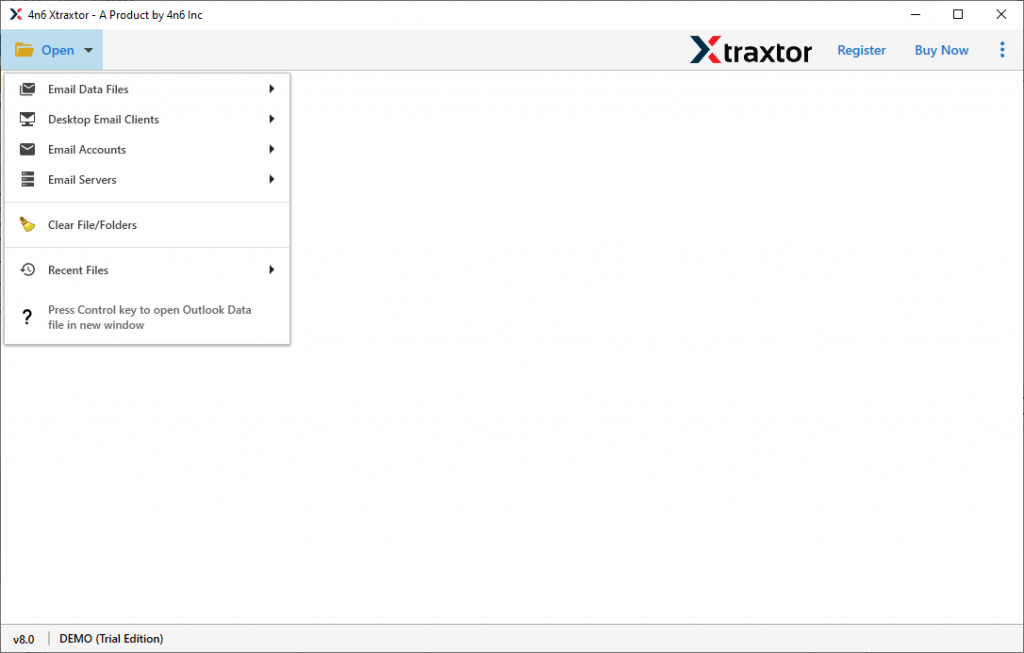
Step 3. Now select Email Data File >> PST File >> Select File or Folder.
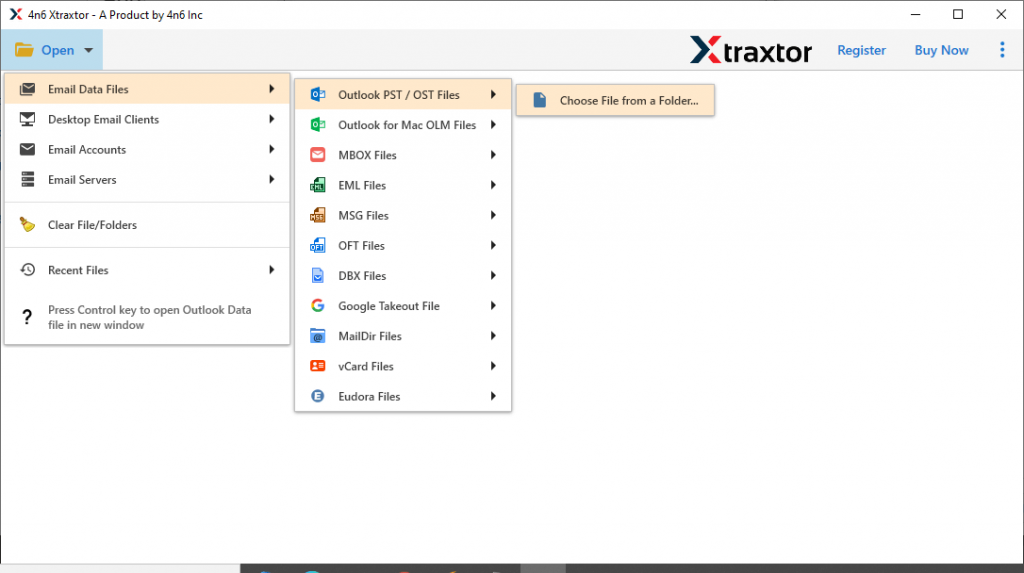
Step 4. Here you can read the PST file emails and select the email folder from which you want to extract email addresses.
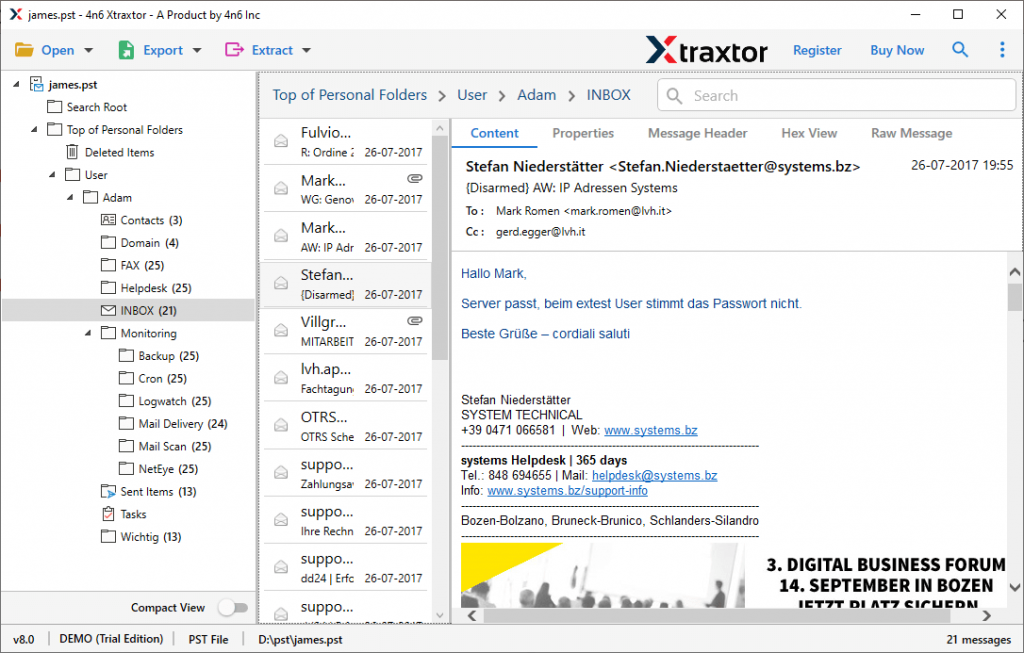
Step 5. At this point, click on the Extract button and choose the Email Addresses option.
Step 6. At last, select the saving location and hit on the Extract button.
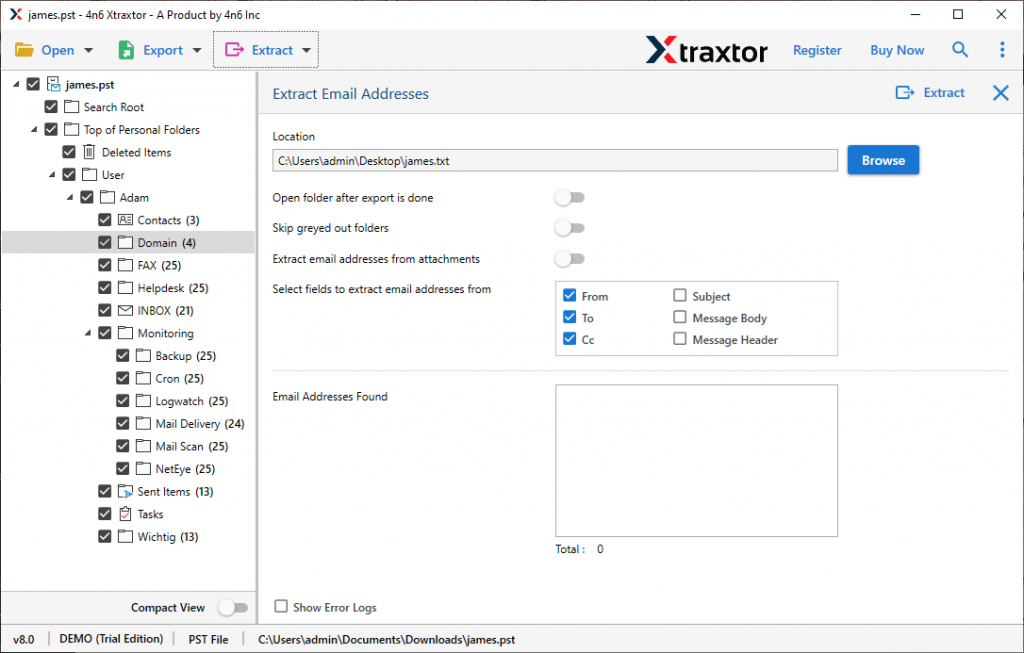
Complete! Here you extarct email addresses from PST file using the automation tool in a simple six steps.
Why PST Email Addresses Extractor Tool
This professional tool has many advanced features that make it a stand out entity among other tools. Some of the attributes are mentioned here, have a look.
Save Email Addresses In bulk: This utility not only extracts email addresses from a single PST file but from multiple files. Users just need to select the PST folder and extarct email address from multiple PST files in a single attempt.
Easy To Use Software: The PST Email Addresses Extractor Tool is designed with a simple graphical interface. In this way, it will be easy for novice users to operate this utility and extract email addresses from PST file. It will be easy to operate for both technical and non-technical users.
Windows Compatibility: This software supports all versions of the Windows Operating System. It can be installed and operate on Windows 11, 10, 8, Vista, and all other previous versions without facing any technical issues.
Extract Other Information: The software not only save email addresses from .pst file. Along with this, it also extract attachments, phone numbers, contact photo and associated email addresses and phone number. All this information will be saved in a single text file.
Free Email Preview: After loading the PST file data into the software interface, it will scan the data file and preview its emails. After that, you can read your emails and select the email folders from which you want to extract your email address.
Conclusion
In this article, we learn an effective way to extract email addresses from PST file without any data modification. We also mention the working process of the email addresses extraction in detail. You can also use the demo version of this software and save your PST file email addresses in a few simple clicks.