In this article, we will discuss the way to deal with large PST files and how to fix them. Read the article and learn how to split PST file into smaller parts.
There is no doubt that Outlook is the most popular email client with its set of advanced features. This application stores your mailbox data in PST format. Most users create .pst files to back up their important data and reduce the amount of data storage space.
However, after a certain period of time, the PST file size has exceeded the limit i.e. 50GB. Increasing the size of PST file will affect the functioning of Outlook and more importantly, the data file may get corrupted or corrupted. In most extreme cases, you may lose your mailbox data.
Therefore it is better to divide the PST file into smaller parts, this way you can reduce the size of the .pst file and protect your data from damage. Now many are wondering: can I split a PST file?
Well, to answer your question Yes, you can split Outlook .pst file into smaller parts efficiently, you just need a reliable technique for this.
In this article, we will discuss one such tool that will efficiently split a large PST file into smaller parts without affecting data integrity. Before that, let’s look at a user query:
“I’ve recently been experiencing some problems with my Outlook application. I try to analyze the problem and find that my PTS file exceeds the size limit. Can anyone tell me how to reduce the size of my PST file without affecting its data?”
Now, let’s know the process to fix Outlook PST file oversized issue.
How to Split PST File into Smaller Parts without Outlook
There are various automatic tools that split large .pst files into several smaller parts. However, it is difficult to find a safe way to do this. To make things easier for you, we present PST Converter Software. This utility will efficiently create small .pst files from a large Outlook data file. Apart from that, you can also select the emails that you want to save in a new splitter data file using the filter options.
With its simple user interface, any novice user can use this utility and split large PST files into smaller files without affecting data integrity. Also, you can use this tool and repair Outlook PST file which will be corrupt or damaged.

Steps to split Outlook PST file into smaller parts
To reduce the size of the .pst file and create smaller data files, follow the instructions provided:
Step 1. Install and run SysConverter for PST on your system.
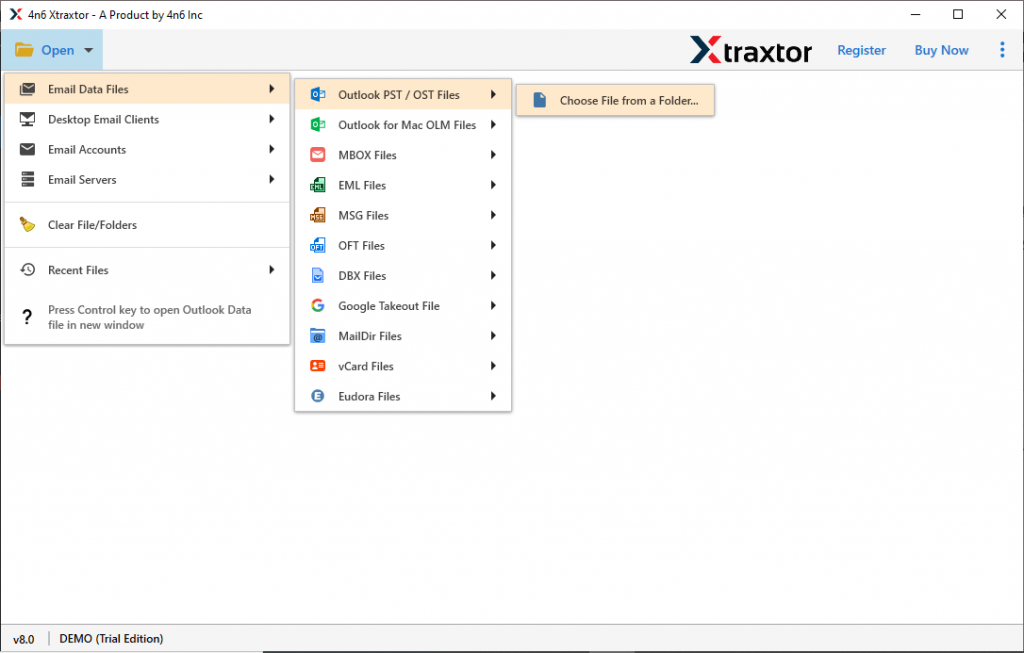
Step 2. Next, choose Open >> Email Data File >> PST File >> Select File from Folder .
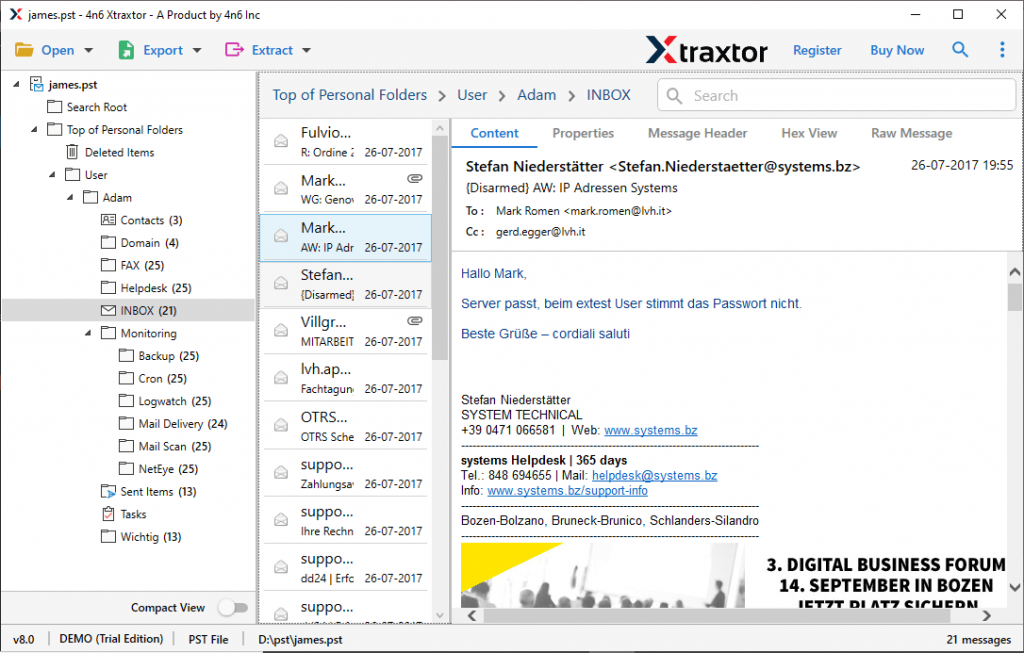
Step 3. Here you can view the .pst file data and examine it.
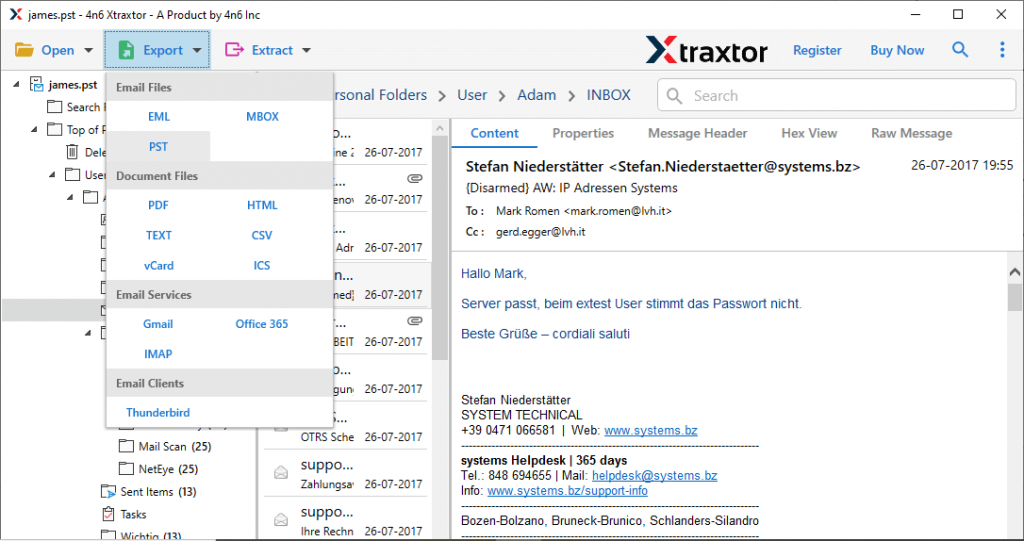
Step 4. Then, click Export and choose PST format .
Step 5. Now, if you want to save selective email folders , you can select them here.
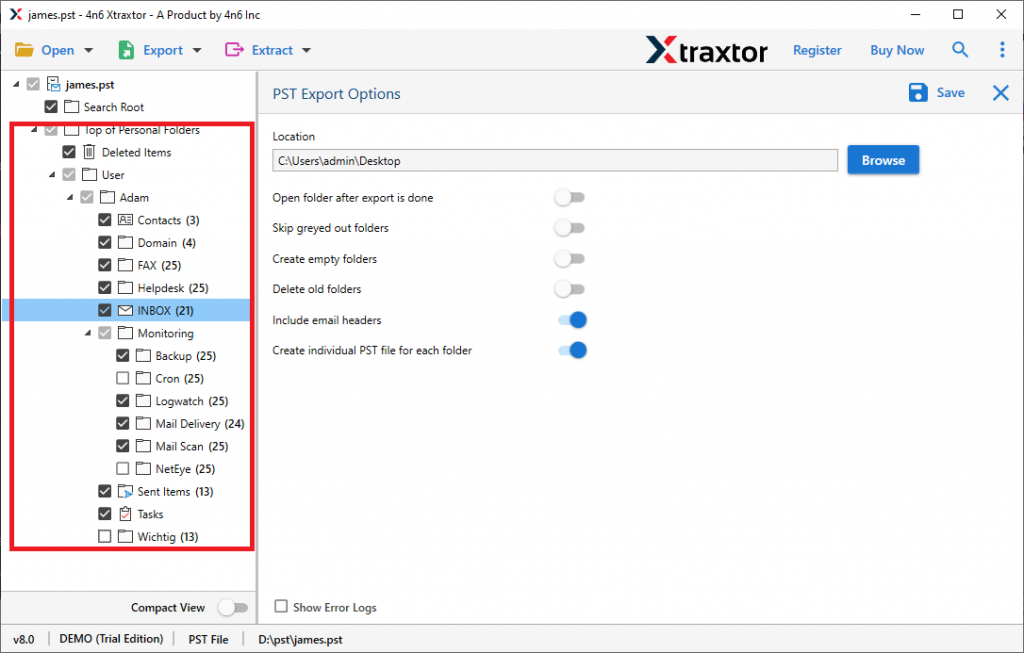
Step 6. Finally, enable the option “ create a single PST file for each folder ” and browse the destination location . Then finally click on Save button .
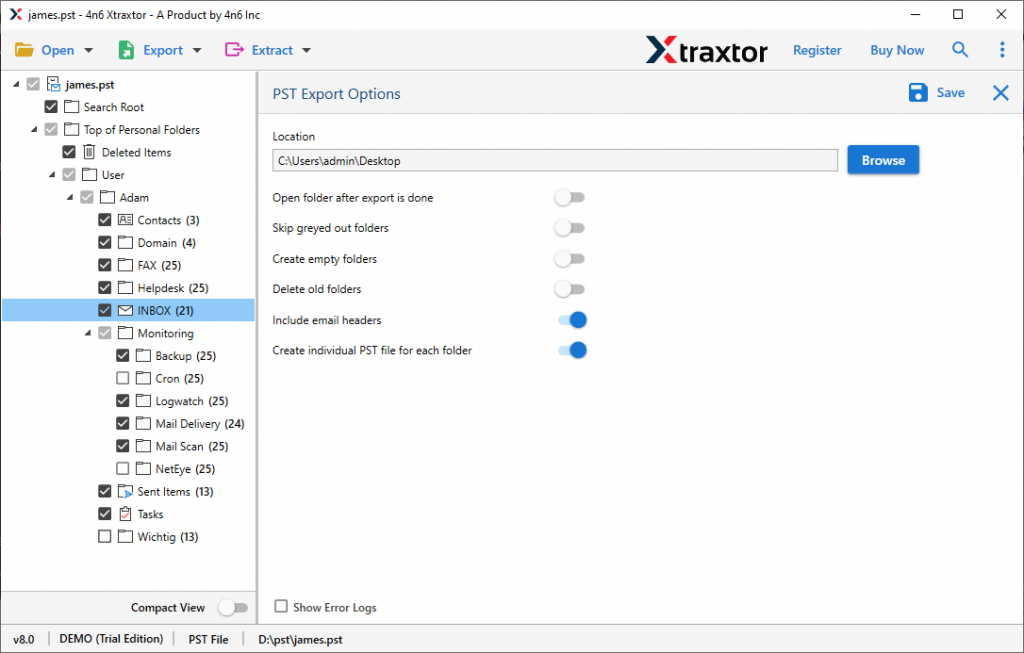
End! Here split PST file into smaller parts in few simple steps without losing a single bit of your data.
Why use PST Splitter tool
There can be various reasons to opt for this automated tool to split large PST files without any data modification or alteration.
Maintain mailbox hierarchy: While splitting the .pst file into small parts using this tool, no changes will be made to the data structure. This tool will maintain your email folder and subfolder hierarchy during this process.
Filter Options: With this tool, various filter options are available that will help you search and save specific emails from large Outlook data file. Various filter options you can apply: to, from, cc, bcc, time, date, subject, name, content, etc.
Simple Graphical Interface: With its simple user interface, both technical and non-technical users can use this utility and split PST file into smaller parts without any assistance.
Windows Based Utility: This software is compatible with all Windows operating systems. You can install and run this tool on Windows 11, 10, 8, Vista, XP and all other previous versions.
Email Integrity: While splitting large PST files, this tool makes sure not to alter the email data. It will maintain the integrity of your email data throughout the process.
Conclusion
Sometimes you may face a situation where the Outlook PTS file exceeds its limit and you may face issues. In that case, it is better to split the PST file into smaller parts. As small data files require less space and are easy to access. In this blog, we mention an instant solution to split large PST file into smaller parts without losing any data. You can use the demo version of SysConverter for PST software and split .pst file without installing Outlook.