Summary: The whole article is about importing emails from MBOX to Roundcube. We will discuss the whole process to import MBOX to Roundcube Webmail account with attachments. Read the complete article and know the secure and efficient way of MBOX to Roundcube import process.
MBOX is a common file format amoung many email clients that store their mailbox data in this file format. It saves all the messages and attachments in a single file and each email is separated via header.
On the other hand, RoundCube is a webmail account used by many businesses. This email service is integrated into cPanel for easy access to your emails. That’s why many businesses use Roundcube for email management.
However, most businesses use this webmail account due to its advanced security measures. Therefore, the users who have .mbox files want to import MBOX to Roundcube account.
“Hello! I have multiple MBOX files on my system and my manager received them. However, I use the Roundcube webmail service integrated with my cPanel account. Since MBOXfiles are prone to corruption, I decided to transfer these files to my Roundcube account. Can anyone tell me the safe way to move MBOX to Roundcube Webmail account?“
After analyzing the query, the reason for moving mail from MBOX to Roundcube account is clear. So let’s move on to the same solution.
How to Import MBOX File Into Roundcube Account
User can move their MBOX file data into Roundcube interface in two ways depending on their requirements.
#1. Import Mailbox to Roundcube Via Automated Tool
#2. Manually Move MBOX to Roundcube Via Import Feature
Let’s discuss both the solutions in detail with step by step procedure.
Method 1: Import MBOX to Roundcube Using Expert Tool
For an instant and efficient import process use MBOX Converter Software. This tool is a secure way to move multiple MBOX files into Roundcube Webmail account. If you trying to import numerous .mbox files, but need some selective emails, then this tool allows you to select an email folder to move into the Roundcube account.
In addition, you don’t need to install other applications to perform the MBOX to Roundcube import process. You need to select the MBOX file from your system, after that select IMAP as the export option. Then enter your Roundcube email addresses and password. All done! your mailbox emails are transferred to your webmail account.

How to Import MBOX to Roundcube Webmail Account
Use the given instructions to move emails from the MBOX file into the Webmail account with complete information.
Step 1. Downlaod and launch this SysConverter for MBOX on your Windows system.
Step 2. After that click on the Open drop-down button and choose the required options.
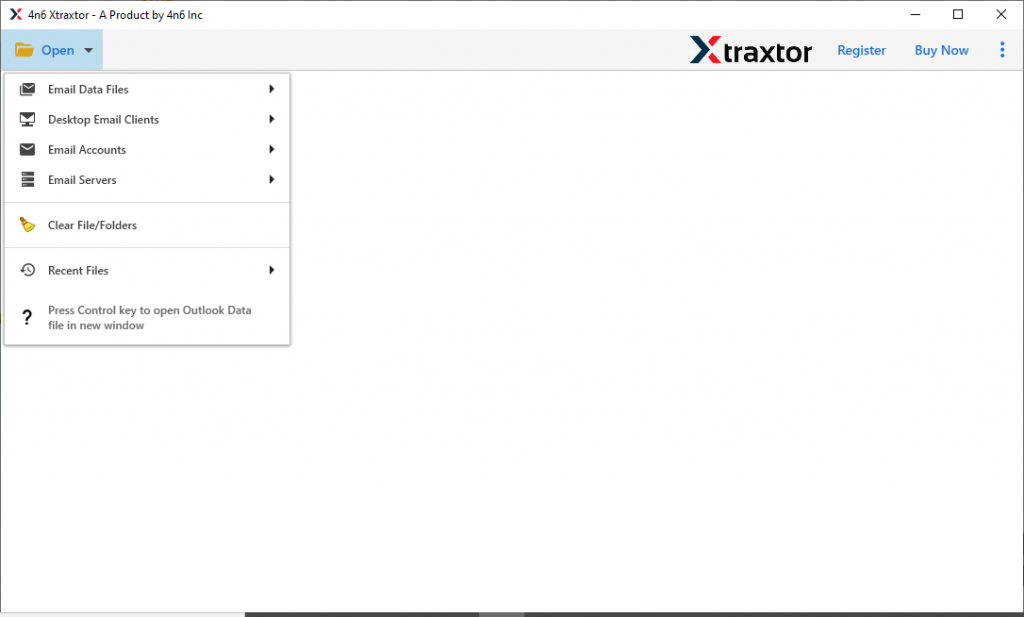
Step 3. Now select Email Data File >> MBOX File >> Select File or Folder.
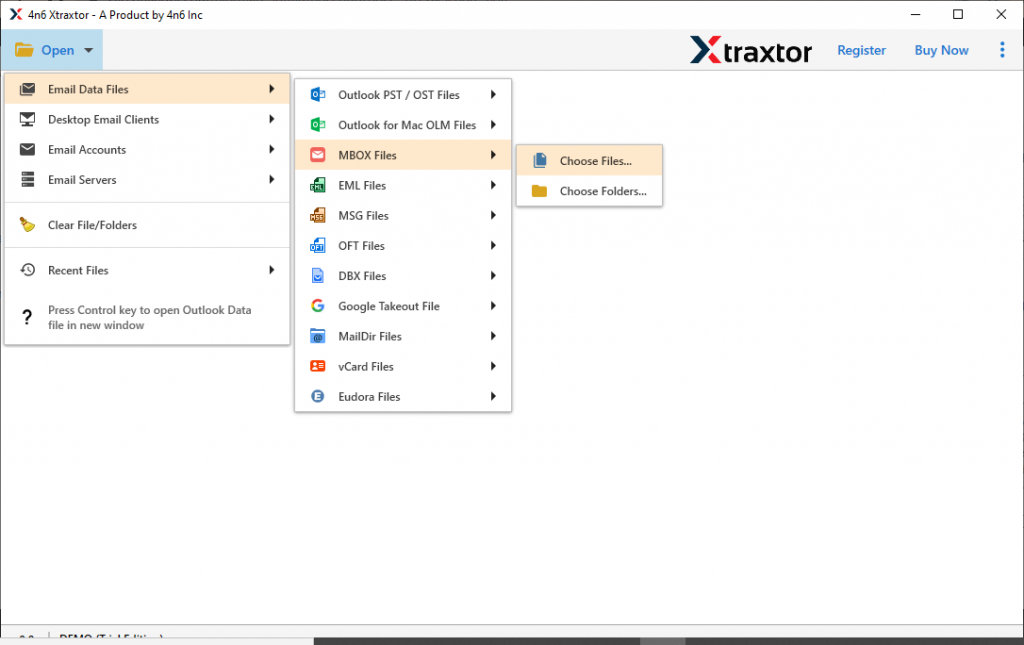
Step 4. Here, this tool shows all your MBOX file data. Read them and select the folder that you want to import.

Step 5. Click on the Export and choose IMAP as a saving option.

Step 6. At last, enter your Roundcube email address and password. After that hit on the Save button.
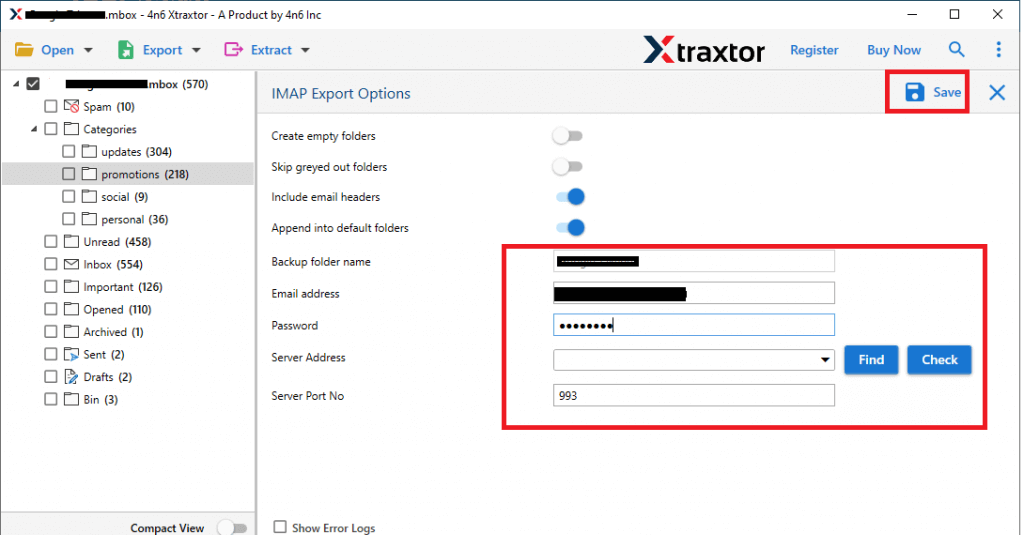
[Note: Email Address: example@domain.com IMAP Server: example.com (Domain Name) IMAP PORT: 993]
All Done! With these simple steps, you just import MBOX to Roundcube account without any data loss.
Why MBOX to Roundcube Import Tool?
There are multiple benefits of using this automated tool to move emails from MBOX to Roundcube. Some of them mention here,
Bulk MBOX Import: Using this utility, it will be easy to import multiple MBOX files to Roundcube in a single attempt. Most importantly you will not lose any single bit of your data during this batch import process.
MBOX Selctive Mailbox Emails: When you have various data files, but need some of the emails to import. In that case, this tool allows you to select an email folder for the selective import process.
Pull-Out Data: This software gives you an option to extract email addresses, phone numbers, attachments and associated email addresses and phone numbers from mailbox data. All the extracted data will be saved in a separate text file.
Simple User Interface: The MBOX to Roundcube Import Tool is an easy to use software that allows an easy and quick import process. With its self-explanatory features, even a novice user can perform the MBOX to Roundcube import process without any technical assistance.
Windows Based Utility: This tool is specially designed for Windows-based users. You can use this software on Windows 11, 10, 8, Vista, XP, and all other previous versions.
Although, this automated method is recommended to import MBOX to Roundcube account with complete data. Still, if you are looking for a native way to perform this import process, then read the next section of this blog.
Method 2: Manual Way to Move MBOX to Roundcube Account
To manually import MBOX file emails to a webmail account, follow the given instructions.
Step 1. Open Roundcube Mailbox account on your sysetm.
Step 2. Click on the More menu from the top right.
Step 3. From the folder, the menu selects Import Messages.
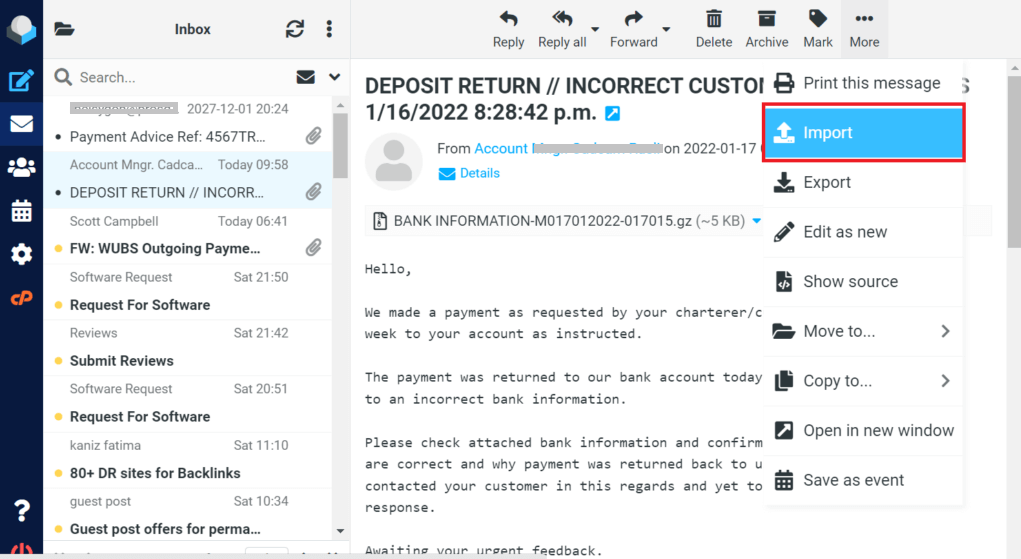
Step 4. A pop-up menu will appear, browse the .mbox file from your system.
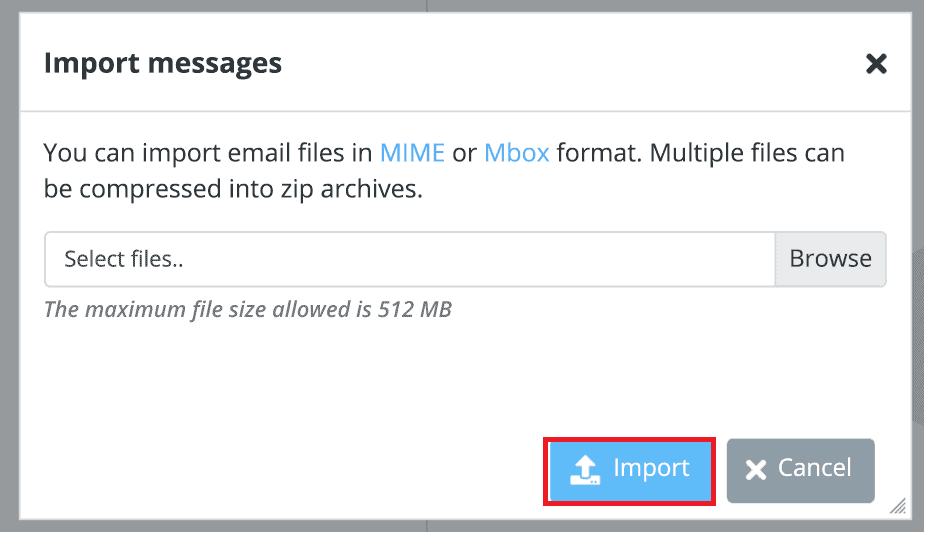
Step 5. After that click on the Import button and Roundcube will begin the import process.
Here completes the import process. However, this manual method comes with some limitations.
Manual Method Loopholes
Since the Manual approach is a freeware way to perform the import process, it comes with a price. You can face certain limitations with this, some of them mention below,
- If you have multiple MBOX files to import, then you have to repeat all the above mention steps for each data file.
- Import has a file size limit. Only 512 MB of data files can be uploaded to Roundcube.
- There will be no selective email import feature with the native method.
To avoid these restrictions while moving the MBOX file to Roundcube, it is recommended to use the automated tool mentioned in this blog. You can use the demo version of this software and test it working and import mailbox data to your webmail account.
Conclusion
All in all, this blog has two different ways to import MBOX to Roundcube account. We also mentioned a step-by-step description of the import process with screenshots. Users can move MBOX to Roundcube webmail account using any of the given methods.