Blog Overview: This blog consists of two workable solutions to extract calendar from OST file. Read the full article and learn about the OST Calendar data extraction process. In this article, we save the OST calendar data manually. In addition, we also mention the automatic tool for calendar extraction, if the OST file is orphan or inaccessible.
OST is an Outlook data file that stores mailbox data that includes email, contacts, calendars, tasks, journals, and many more in an offline mode. To extract calendar from OST file you can use the Import/Export Tool and select your calendar folder. However, this method will work only if your Outlook is connected to Exchange Server.
In the coming section, we will discuss these methods in detail with proper working instructions.

How to Extract OST File Calendar Using Outlook?
To save calendar data from OST file using the native way, you have to fulfil two requirements. Firstly Outlook should be installed on your system and secondly, your Outlook is connected to Exchange Server.
If both the criteria are fulfilled, then follow the given instructions. If not, then skip to the next segment.
- Open the Outlook email client on your system.
- After that go to File >> Open & Export >> Import/Export.

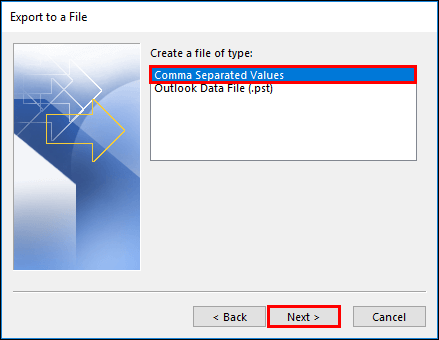
- Select Export a file >> Comma Separated Value.
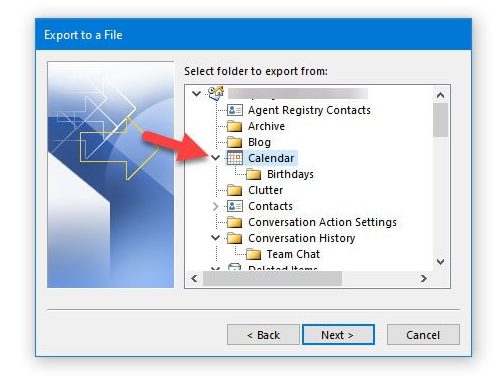
- Choose the calendar folder from the different mailbox folders.
- Browse the location to save the .csv file and click on the Finish button.
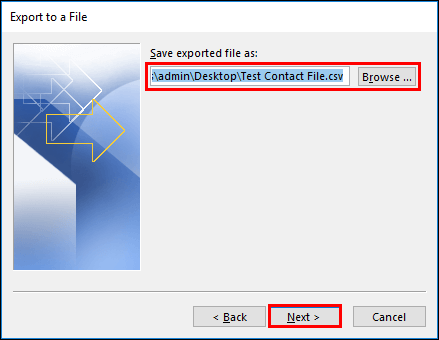
Now check the extracted file at your chosen location. You extract calendar from OST file . However, this method has some drawbacks.
Limitations With Manual Method
With this Import/Export process, you will face some restrictions, such as –
1. Your Outlook need to connect with Exchange Server, then only this native method will work.
2. If the OST file is orphan or inaccessible, then this method can’t able to extract calendar from OST file.
3. In case you want to export calendar data from multiple OST files, then this tool doesn’t support it.
4. While extracting data, if you come across any errors, there is a chance that your OST file has been damaged or corrupted.
How to Extract Calendar From OST File Using Professional Tool?
As we see with the manual method there are limitations. To overcome those drawbacks you can try the OST Converter tool. This automated software allows its users to save calendar data from various .ost files in a single attempt. Moreover, you will not lose your data during extracting process. The tool even saves calendar data from the orphan, corrupted and inaccessible .ost file.
In order to save calendar data, this tool convert OST to ICS format. After that you can easily access your calendar data on any platform as this extension (.ics) is a standard format to store calendar information. Now let’s know how this software performs this extract process.
Follow the given steps to export OST file Calendar data
The given instructions extract calendar from multiple OST files in a single attempt.
- Install and run SysConverter for OST tool on your system.
- Click on the Open button and choose the required field.
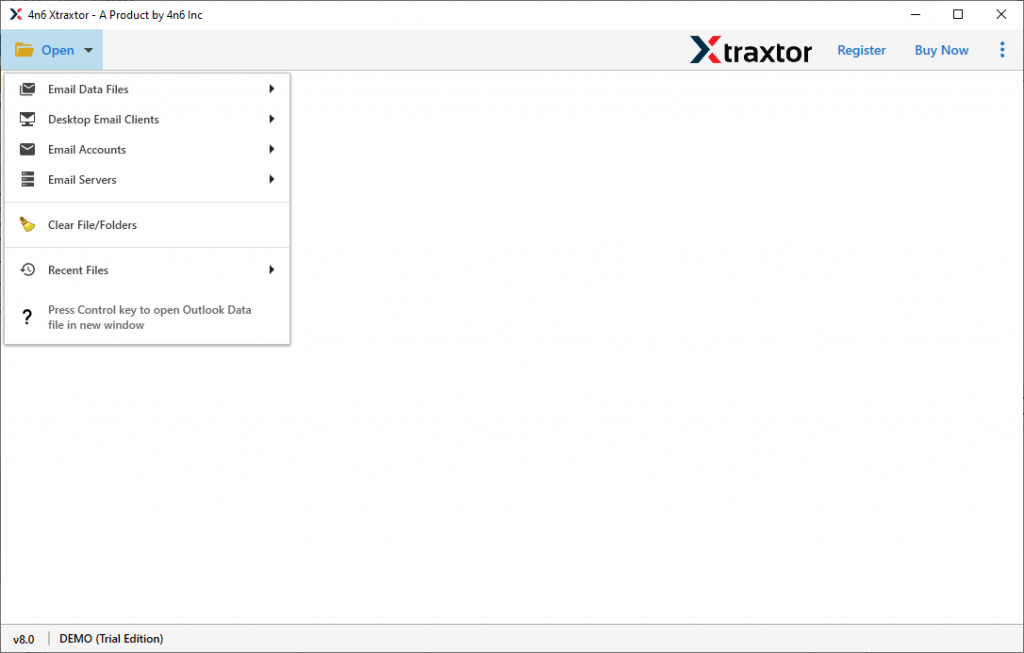
- Select Email Data File >> OST File >> Select File or folder.
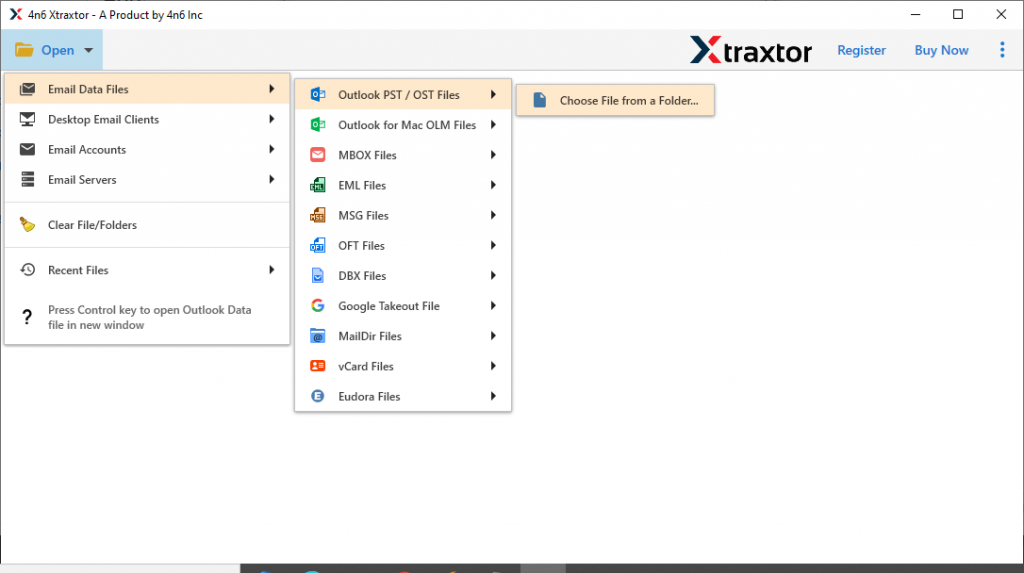
- Here you can read your OST file data and view your Calendar data.
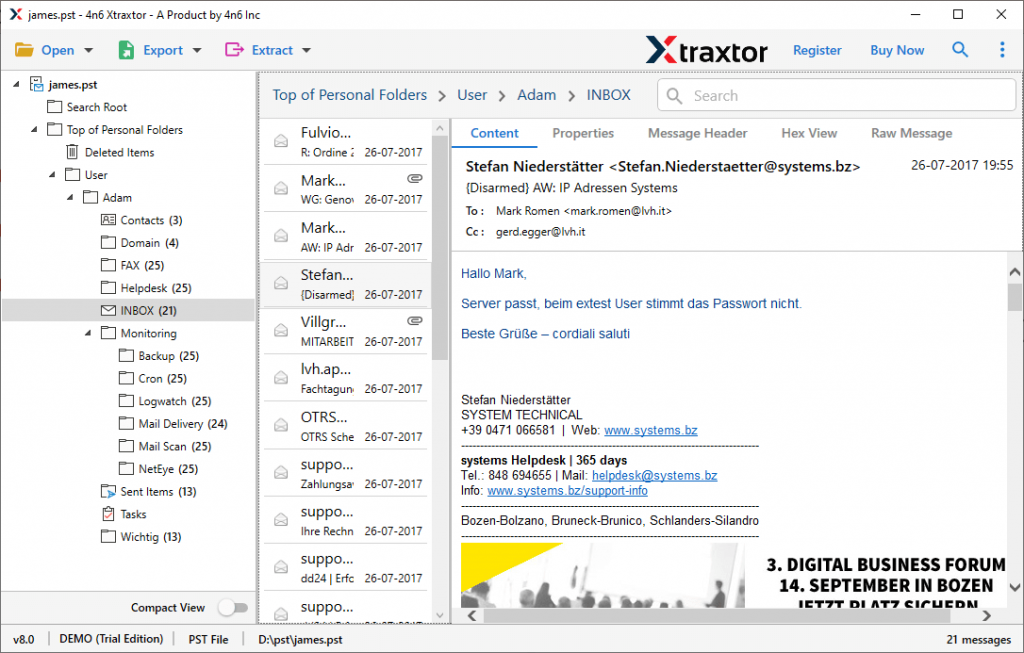
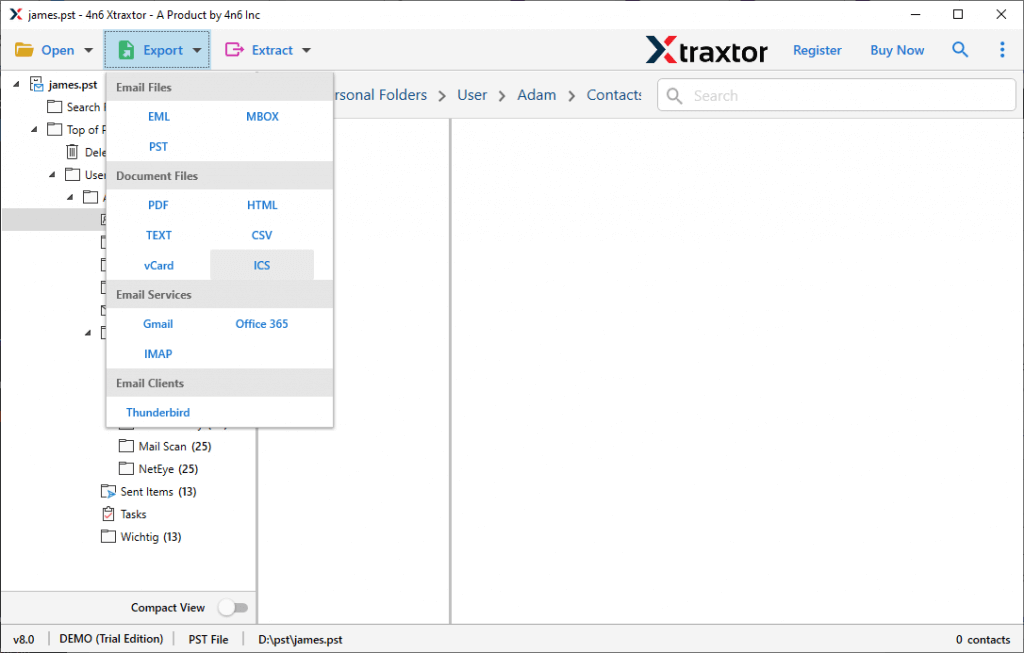
- After that click on Export and select ICS format.
- At last, browse the saving location and hit on the Save button.
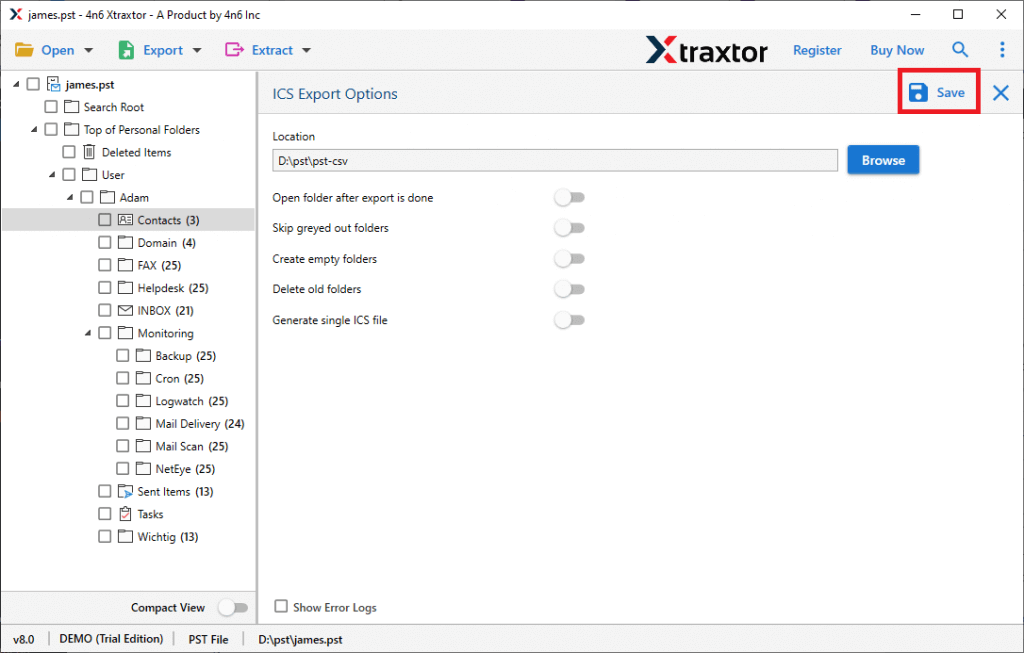
All Done! Using this automated tool you get calendar from OST file in simple six steps.
Why Choose OST Calendar Extractor Tool?
This software has various outstanding features, which will make it unique among others.
Advanced Search Option: This automated utility has an array of filters that make it easy to find calendar data from a specific field. The various filters offered by this tool are – subject, date range, location, note, property id, property name, file size, file name, and many more.
Maintain Data Integrity: While extracting calendar data from OST file, this tool makes sure to preserve calendar data integrity. All data will be saved in .ics format just like the original without any modification.
Windows Compatibility: The OST Calendar Extractor tool supports all the versions of the Windows operating system. It can easily operate on Windows 11, 10, 8, Vista, and all other previous versions with no technical issues.
Export PST File Calendar: This utility not only save OST file calendar data. It also extract calendar from PST file as well. Most importantly all the options will be present in a single interface.
Conclusion
In this blog, we get to know about two different methods to extract calendar from OST file. We mention Manual as well as Automated ways to perform this extraction process. You can try both methods and find out which one resolves your calendar extraction process.