Are you looking for a way to import OST in Thunderbird? If yes, then this post is for you. Importing OST file to Thunderbird is a complex process since this email client doesn’t support the file format. This technical guide will help you to import emails from OST file into Thunderbird with attachments.
Importing emails to an email platform requires technical knowledge, especially when you try to open OST file in Thunderbird. As we already know that OST is a non-supportable file in Thunderbird. Thus there is no manual way to convert OST file to Thunderbird.
Before we move ahead and learn about the way to move .ost file data into Thunderbird account, let’s know more about this situation with the help of a user query.
“I am using Thunderbird mail client on my system. However, recently I need some important data, but it is in the .ost file that I get from my manager. As Thunderbird does not import this file in its interface. I needed a direct way to import OST to Thunderbird without any data loss?”
In this query user looking for a secure and efficient solution to open OST file in Thunderbird, so without any further delay, let’s dive in.
How to Open OST File in Thunderbird?
An authentic and efficient approach that provides accurate OST to Thunderbird import results. OST Converter is one such tool that efficiently import multiple OST files into Thunderbird account without any data loss. Using this utility you can easily move selective emails and other components from OST files into Thunderbird.
While the user can also apply the email filter options such as to, from, date range, subject, time, and many more. To sum up, this tool is an all-in-one solution to read OST files in Thunderbird in simple steps. Along with that, you can also import OST to Outlook 2021, 2019 and all other versions.

Steps to Import OST to Thunderbird Without Outlook
- Download and launch the SysConverter for OST software on your system.
- Click on the Open button and choose the required field.
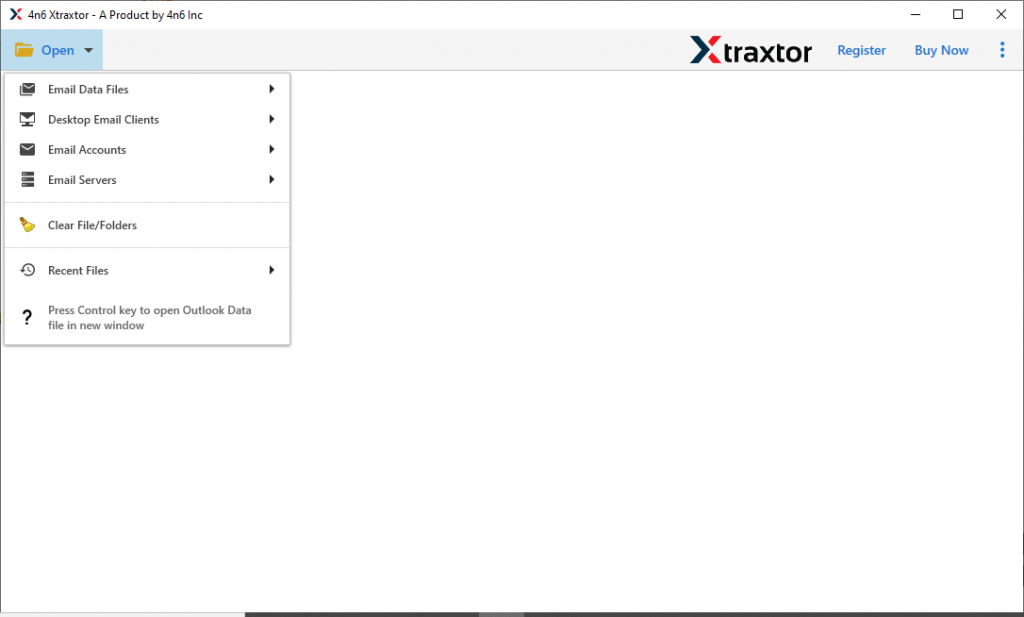
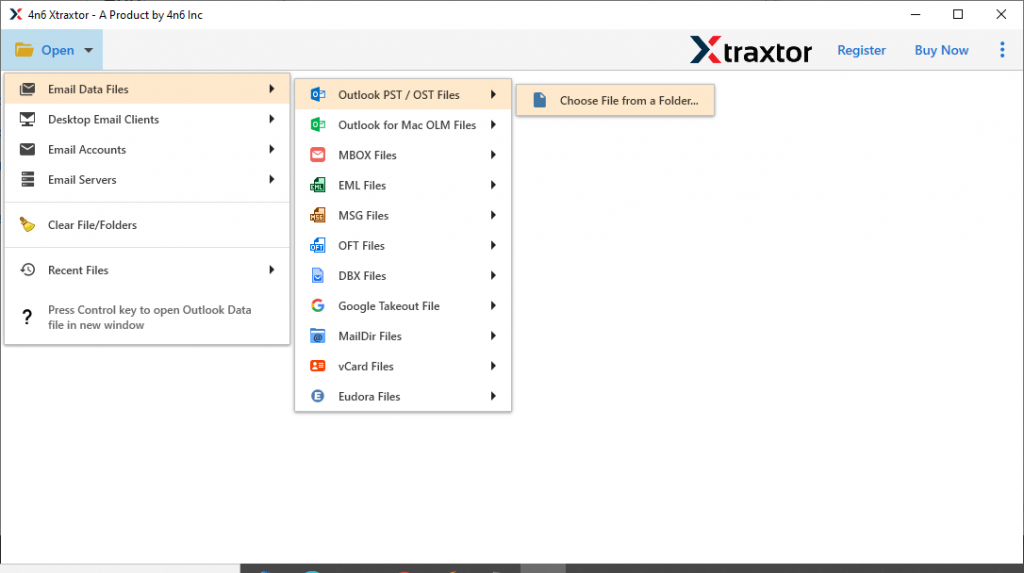
- After that, Email Data File >> OST File >> Select File or Folder.
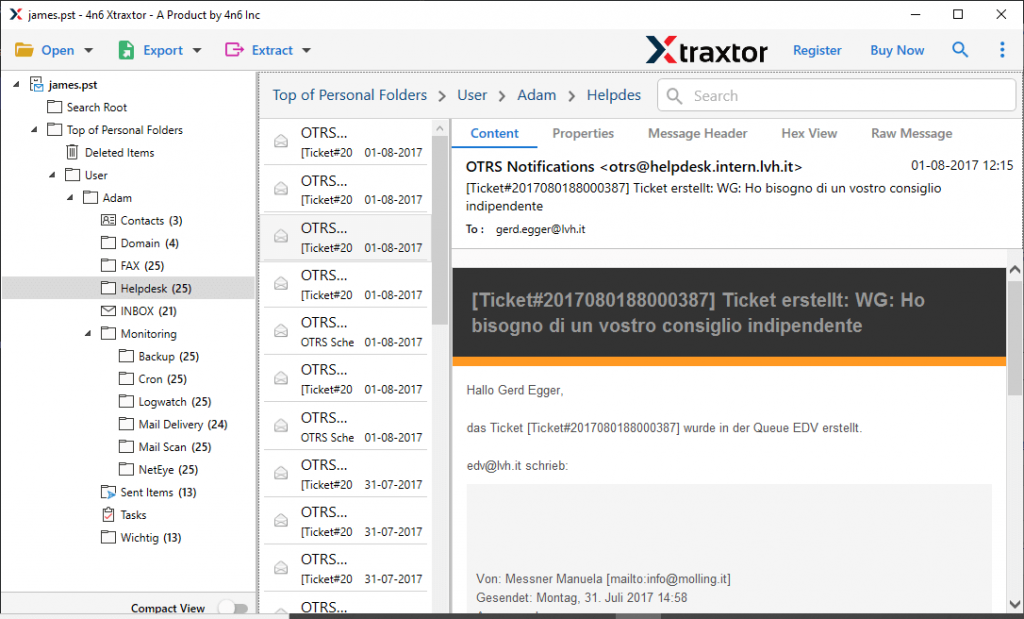
- Here you can read the OST file emails and select the required email folder.
- Now select Export and opt Thunderbird option.

- This tool browses the default location where your Thunderbird email client mailbox data is stored. Check the location and hit on the Save button.

Here completes the OST to Thunderbird import process. This tool easily import OST to Thunderbird in a few simple clicks.
Why Choose OST to Thunderbird Import Tool?
There are various outstanding features of this tool, some of them mention here in this blog section.
- Search Filter: This automated tool allows its users to locate emails from specific fields and import them into Thunderbird. The various filter options users can apply are – to, from, cc, bcc, subject, date range, time, property id & name, and many more.
- Multiple Saving Options: The tool offers to save OST file data into different file formats. Using this tool you can save your emails into PST, PDF, CSV and many other file formats.
- Simple Graphic Interface: The OST to Thunderbird Import tool has an easy-to-use interface that can be operated by any type of user. With its self-explanatory features, even novice users can use it and move their emails from an offline storage table to a desktop-based application.
- Email Preview: After you add the OST file into the software, it will show all the emails in its interface. Here you can read the emails and decide which email that need to import.
- Windows OS Support: This utility is a Windows-based application that runs on any Operating system. It is compatible with Windows 11, 10, 8, Vista, and all other previous versions without an issue.
- Maintain Hierarchy: While importing emails for .ost file, this tool makes sure to save them into the email client interface in the same format as the original. The software preserves the mailbox folder or sub-folder structure during the process.
- Selective Email Transfer: When the data file is added to this tool interface, the software scans the entire file and displays all emails. Here users can view their messages and decide which mail folders are important and need to move.
- Open OST Into Cloud Server: Using this tool, users can also import OST to Gmail, Yahoo, Office 365, and other webmail accounts. It is a secure and easy way to perform this transferring process.
Conclusion
This blog is a complete guide to import OST to Thunderbird email client interface. As we already mentioned there is no manual approach to performing the importing. Thus to make it easy for you to complete the process, we describe the hassle-free solution for you. The automated tool will effortlessly open OST file in Thunderbird without affecting your data. To analyse its working you can use the demo version of the software that will import 10 emails from each folder. I hope you find this article useful.
Frequently Asked Questions
Q1. Can I directly import an OST file into Thunderbird?
Ans. No, Thunderbird doesn’t have any option to import OST file. To do that you need to use the automated tool. One such tool we mention in this post.
Q2. Is it possible to import OST file to Thunderbird without Outlook?
Ans. Yes, with this OST Converter, it is possible. The tool will effortlessly import OST file to Thunderbird.