As we all know that EML file is supported by many email clients such as Thunderbird, Windows Live Mail, and many others. However, there are many users that wish to read their .eml files data into Thunderbird. To solve their problem we come up with a complete guide to import EML to Thunderbird interface.
Thunderbird is a free desktop email client that offers various options to manage emails. Due to its easy to use interface many users opt for it as their default email client.
Let’s check out a user query and understand what user’s intent behind this import process.
Methods to Import EML Files to Thunderbird
To open .eml files into Thunderbird account, the user can choose either of the following two methods.
#1: Directly Import EML to Thunderbird In Bulk
#2: Import Single EML File to Thunderbird At A Time
Let’s know how these methods work with a proper step-by-step guide.
How to Import Multiple EML Files to Thunderbird?
For instant and batch .eml file import, use EML Converter wizard. This automated software allows users to move single and multiple EML files into the Thunderbird interface without facing any error. Along with that users can select EML files from the entire folder and import them into Thunderbird and avoid unwanted email transfers.
Additionally, this utility also offers various other features such as search option, selective email transfer, preserve email meta properties and key elements. It can also import EML to Outlook, Windows Live Mail and other email applications. Now you are wondering how this tool solves your problem and import EML files to Thunderbird? To know it read the below section.

Follow the given Steps to Open Multiple EML Files Into Thunderbird –
- Download and run SysConverter for EML tool on your system.
- Click on the Open button and choose from the given option.
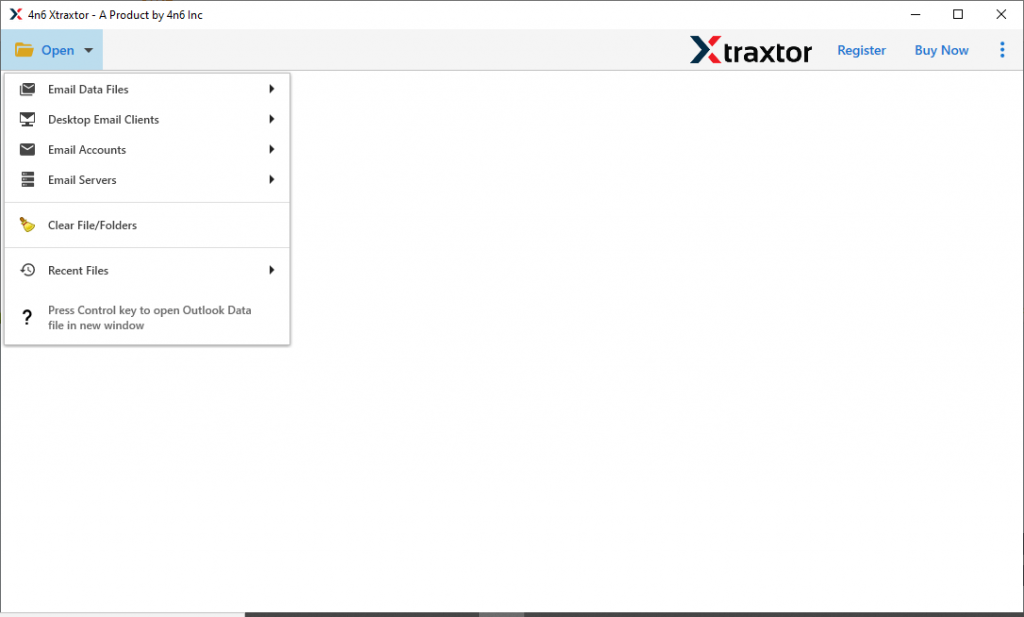
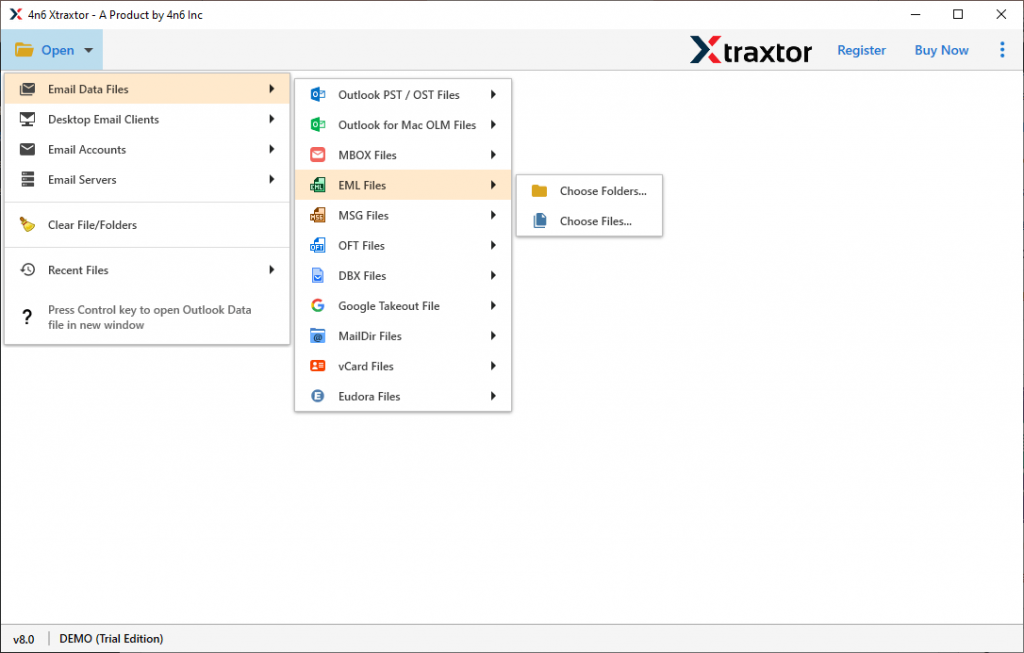
- Now select Email Data File >> EML Files >> Select File or Folder.
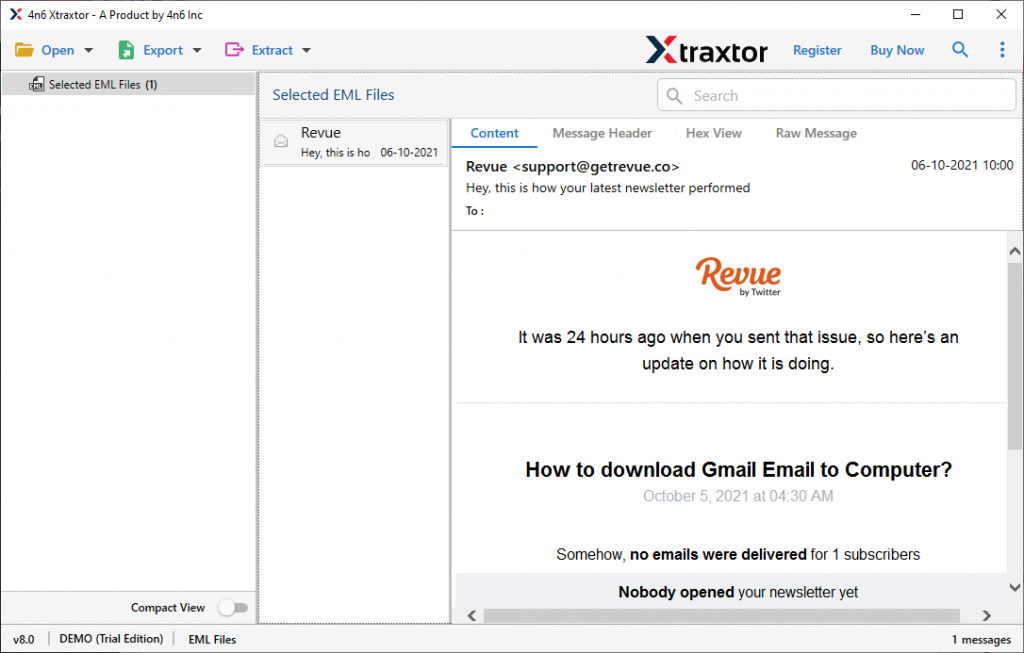
- Here, this tool scans the data file and previews its emails on its interface.
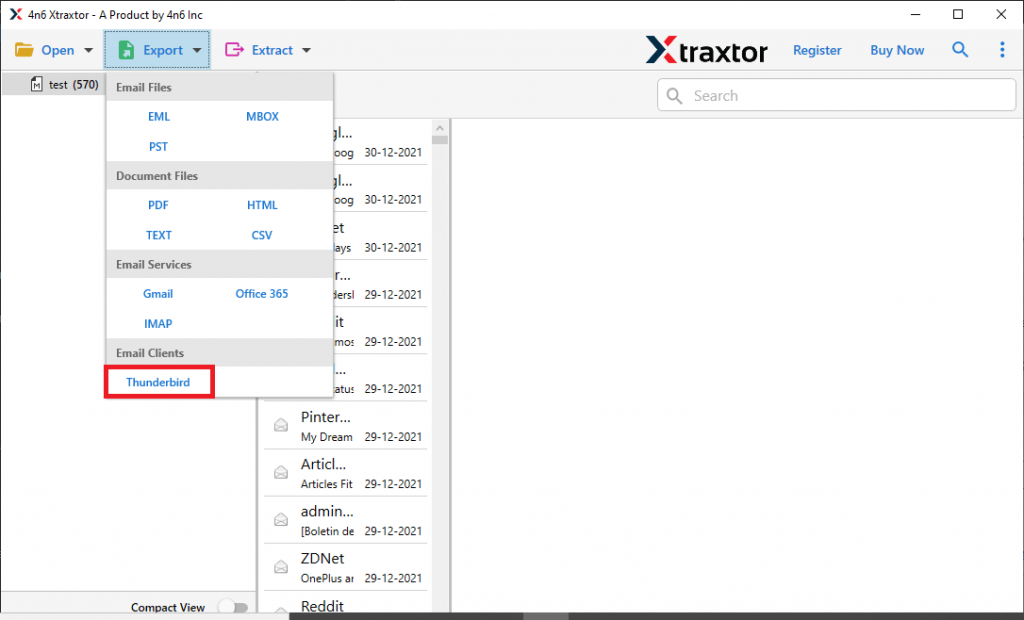
- Click on the Export button and choose the Thunderbird option.
- At last, this tool locates the default location where Thunderbird mailbox data is stored. After you hit on Save button, this tool saves all .eml files into that location.
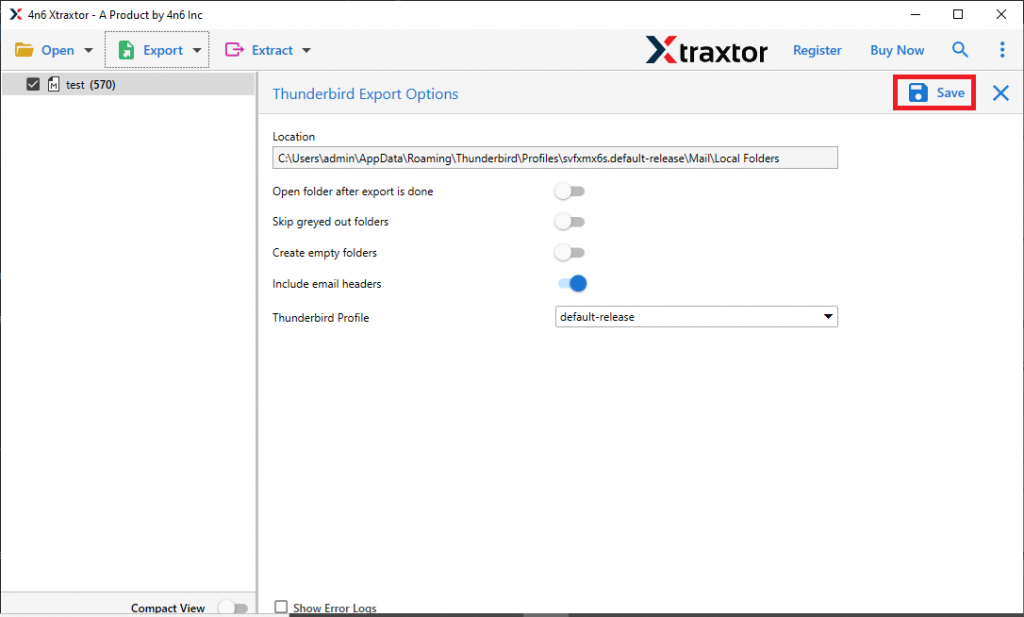
Here you successfully import EML to Thunderbird with complete data without any alteration.
How to Import EML Files to Thundrebird Using Import/Export Tool
To perform this process in a native way, then you need to install Import/Export Tool plugin on your Thunderbird interface. If your application already has those add-ons, then follow the given steps.
- Open Mozilla Thunderbird on your system.
- After that right-click on any folder present on the screen and choose the New folder option to create a new one.
- Now navigate to the Tool option from the menu bar and select the Import/Export Tool NG option.
- After that select Import a message option.
- Locate the .eml file from your system and click on the Open button./
Repeat the steps for the particular EML files that you want to import.
Although this manual way open EML file into Thunderbird once at a time, this method will not work when there are unlimited .eml files to import. Thus we recommend using the automated tool that we mention in the above section of this write-up.
Why Choose EML to Thunderbird Import Tool?
This automated software has several outstanding features, some of them mention here.
Import EML Files in Bulk: Using this software users can easily move multiple EML files into Thunderbird account. Most importantly users will not lose their important data during this import process.
Extract Data: The EML to Thunderbird Import tool also offers to save certain information from mailbox data. You can extract attachments from EML along with email addresses, phone numbers and associated email addresses and phone numbers in a separate single text file.
Easy to Use Tool: This utility is designed while keeping novice users in mids. That’s why this tool is designed with a simple graphic interface so that both technical and non-technical users can perform the import process.
Selective EML File Import: After uploading EML files into this software interface, user can read their email data and select the required emails. After that move the only selected emails and avoid unwanted MEL file import.
Conclusion
This blog post describes two different methods to import EML to Thunderbird with no data loss. While the manual way only moves a single EML file to Thunderbird at a time. However, if users want to move multiple EML files to Thunderbird, then the recommended too is the best choice. Along with that this too also import EML to Yahoo, Gmail and other webmail accounts. Users can try the demo version of this software and export EML files to Thunderbird email client.