This guide will describe the easy and efficient way to import EML to Gmail account. If you are looking for an automated approach to import EML files to Gmail in bulk.
Without any further delay, let’s transfer EML files to Gmail account in a few simple clicks.
How to Move EML Files to Gmail Account?
Try the tested and secure EML Converter tool on your Windows OS. The software will effortlessly import EML files to Gmail account. This tool gives options to import multiple EML files or folders without affecting data integrity.
Download the demo version of the software and learn the import process.

Steps to Import EML to Gmail
- Install and launch SysConverter for EML tool on your Windows OS.
- After that click on Open and select from the given options to proceed further.
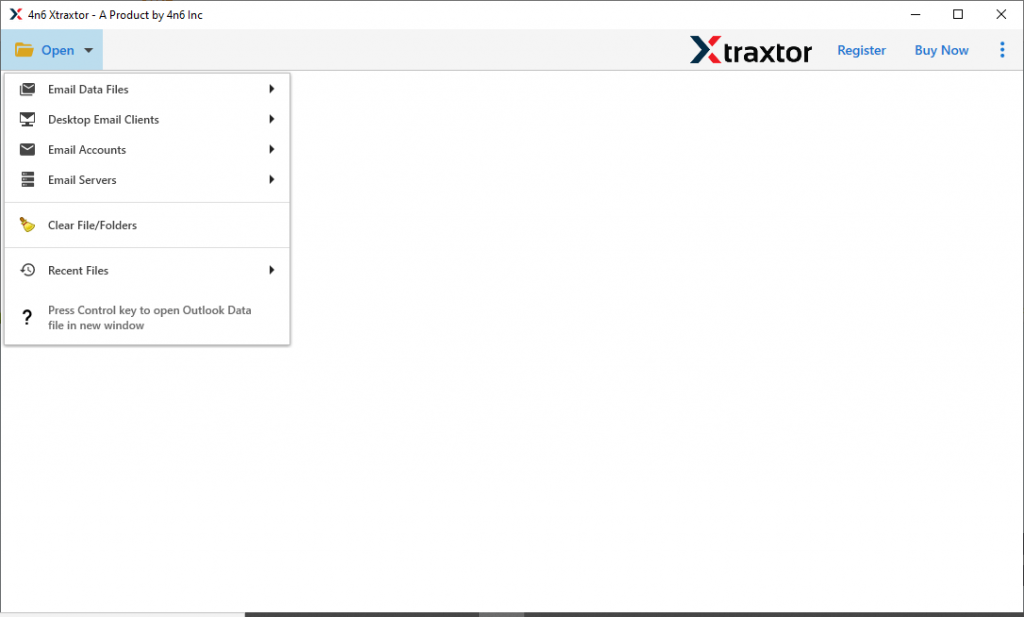
- Select Email Data File >> EML File >> Select File or Folder.
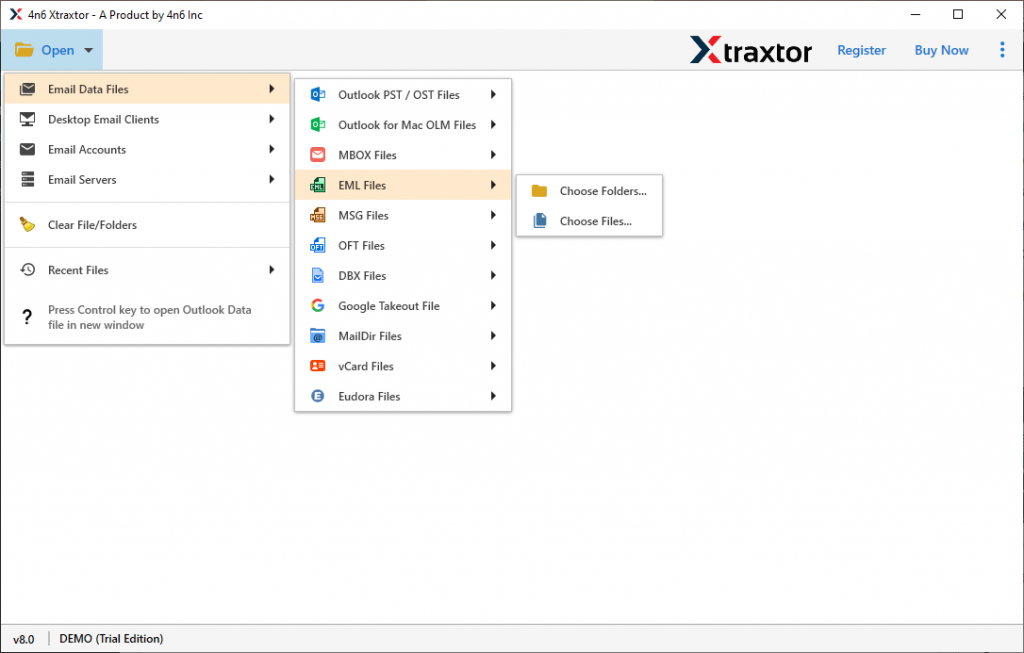
- Here go through the .eml file content in this tool interface.
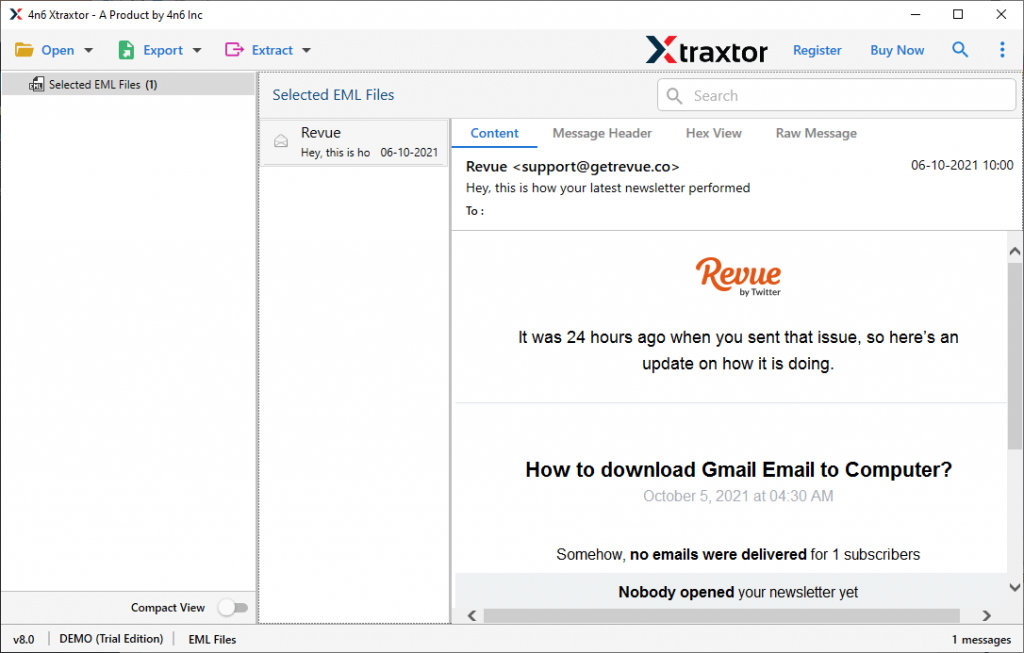
- Now click on Export and choose the Gmail saving option.
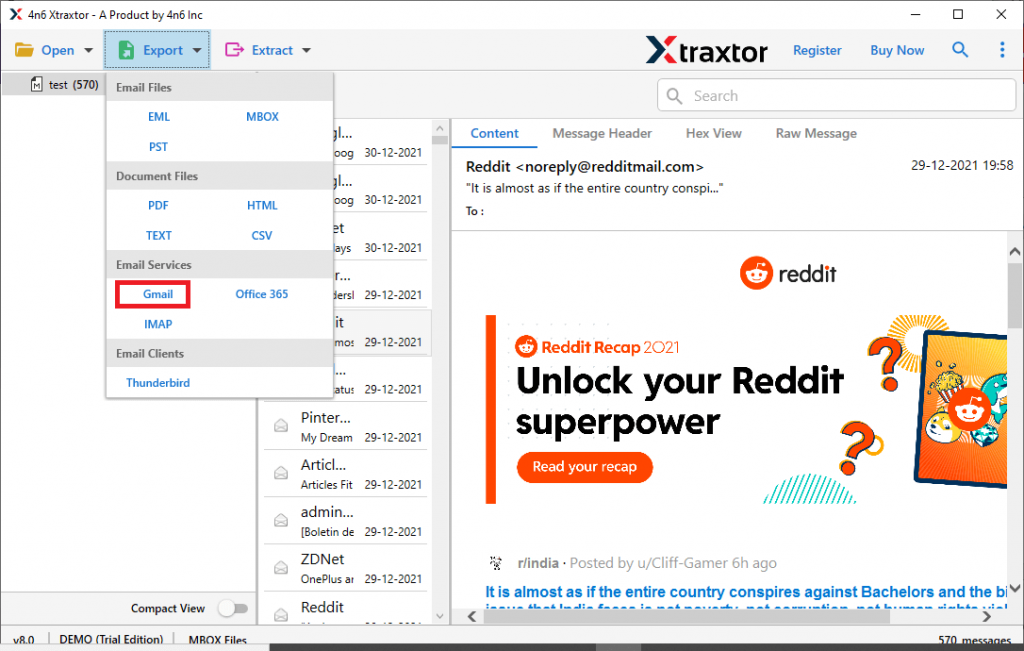
- At last, enter your Gmail login id and app password and hit the Save button.
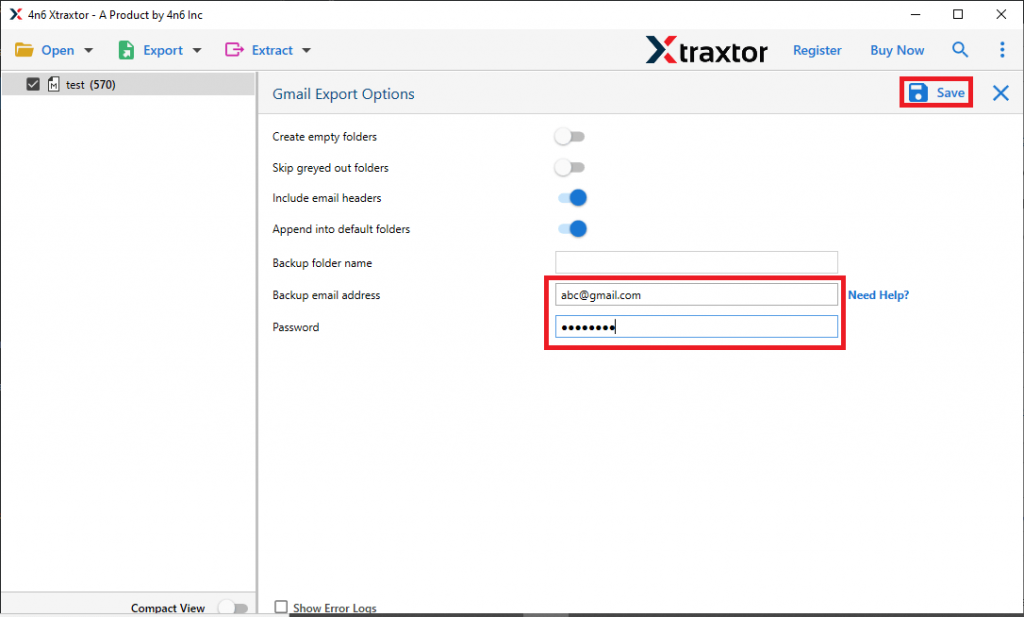
All Done! Here you import EML to Gmail account using this automated tool in simple six steps.
Benefits Of Automated Tool
- Move Multiple Emails: With the help of this tool, users can easily transfer EML files to Gmail account in a single attempt. If you have various .eml files and want to read them into the Gmail interface, then this tool is the best choice for bulk transfer.
- Email Filter Option: With this EML to Thundrebird Import tool, users can search emails from specific fields. You can use different search options such as – to, from, subject, property id, property name, date range, bcc, cc, and many other fields.
- Simple User Interface: The software is designed with a simple graphical interface so that anyone can use it and import EML files into Gmail account. With its ease of operation, even novice users can also perform this import process without any assistance.
- Move EML to Webmail Account: Using this utility users can not only open EML files into Google Mail account but also import EML to Yahoo Mail, Office 365, GoDaddy and other web-based mail accounts.
Conclusion
In thsi blog, we analyse the user situation where they want to import EML to Gmail in bulk. We describe the workable and secure approach to upload EML files to Gmail without affecting data integrity and formatting. You can also download the demo version of this tool and open the multiple .eml files into Gmail account with ease.